





Anecdotes, an AI-native enterprise GRC platform, is hiring an R&D Team Lead for its Agents Platform in Tel Aviv. The role leads a team of engineers building production AI agents and agentic workflows, and requires 5+ years of software engineering experience and 2+ years in technical leadership. Candidates need hands-on experience deploying LLM-based products in production.
— A new kind of resume
Free during the open beta · no cardLet your CV
speak for itself
Share one link. Recruiters ask what they actually want to know, and get answers built from your own material — the files, links and notes you chose to put there. Where your evidence stops, the answer says so. The AI agents reading on their behalf get the same page.

talenthunt.work/
Claim your username before it's taken. Free, no credit card
Not a document.
A living profile that answers back
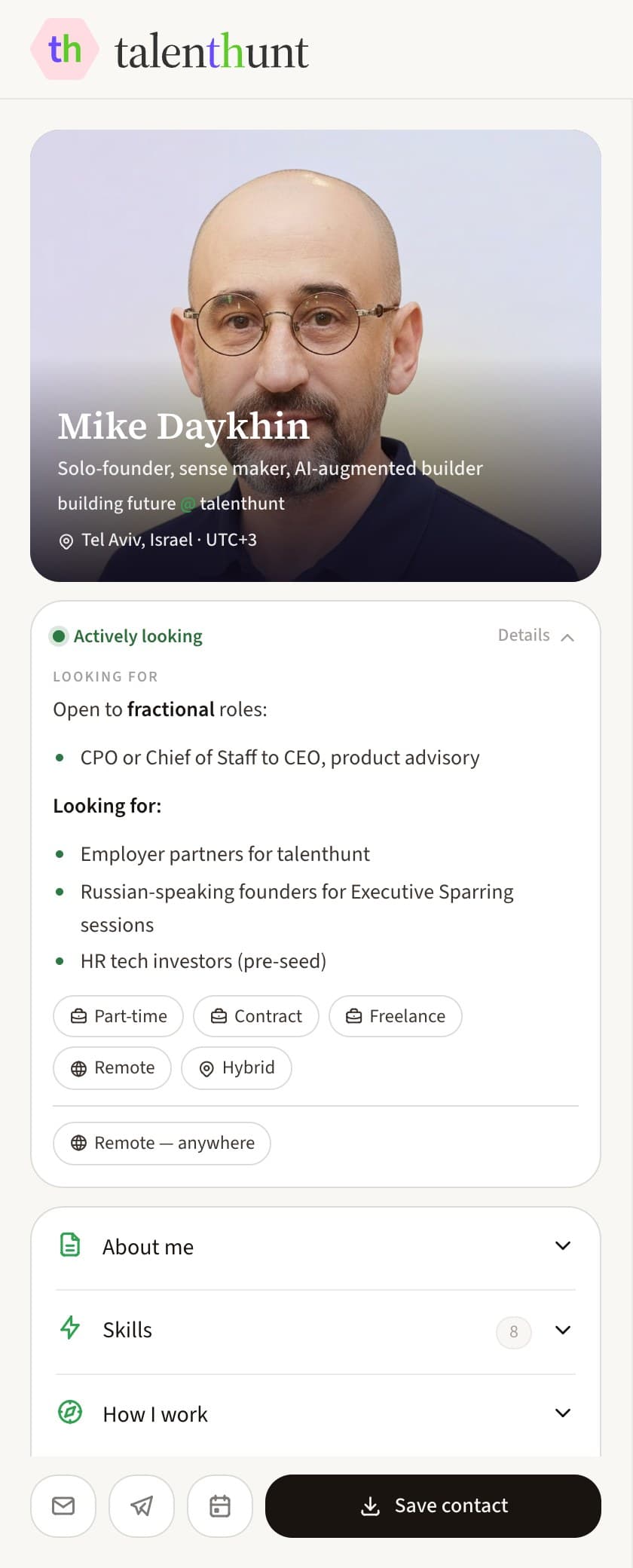
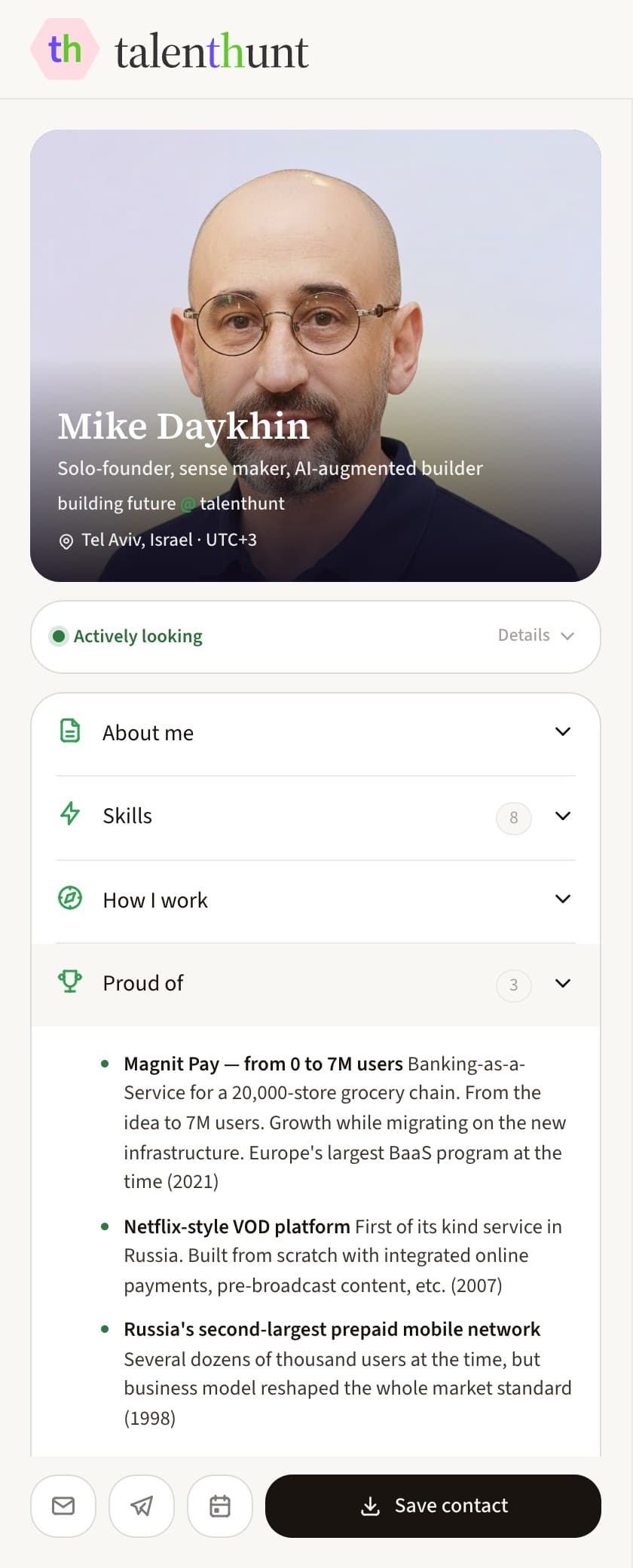
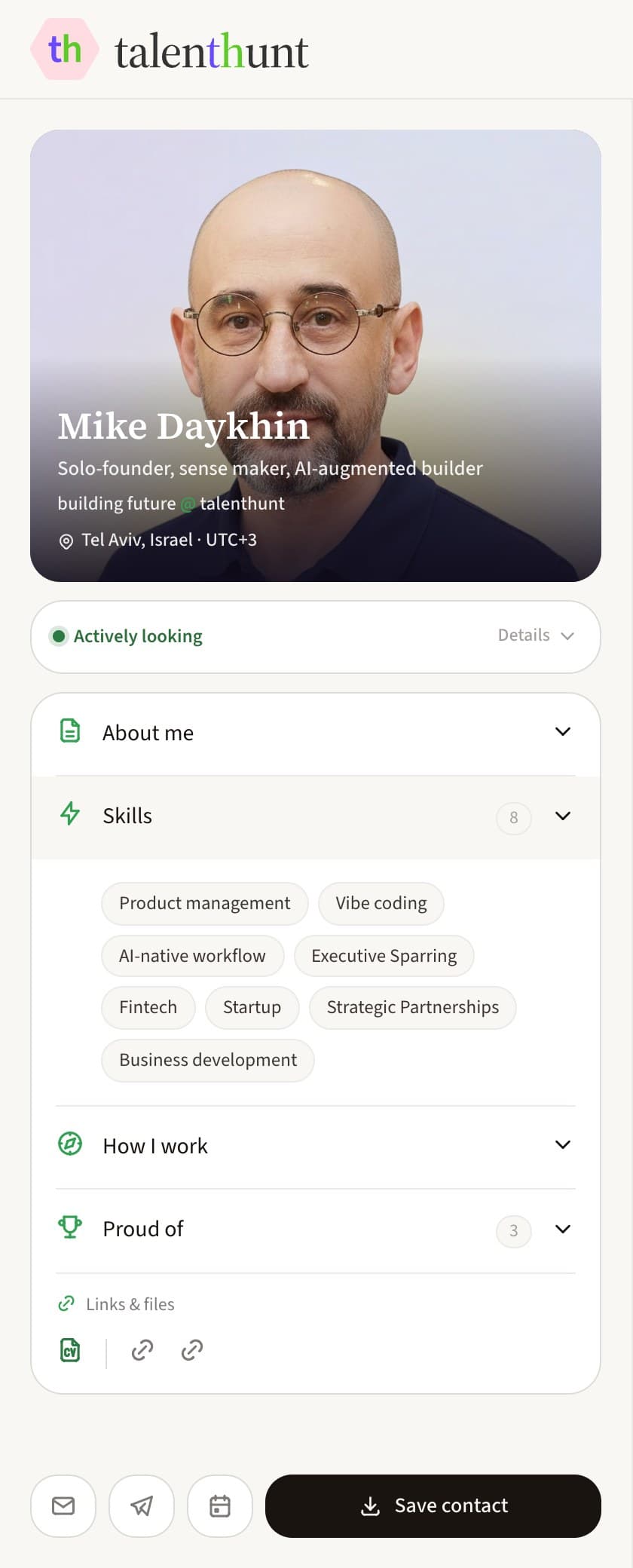
Everything a visitor needs in the first three seconds, everything they might dig for after that folded away until they ask, and a conversation waiting on the right. This is a real profile, not a mock-up.

1 / 5
The whole page
One column your visitor takes in, one they talk to. This is the founder's own profile exactly as it is served — no mock-up, no cropping away the awkward parts.
2 / 5
Who you are, and whether you're looking
Photo, headline, your role and company, where you sit and in which timezone, read in a second before anyone has typed a thing. Beside it one pill says plainly whether you're looking: open it and it lists the roles you'd take, the arrangements that work, and where you'd work from.
3 / 5
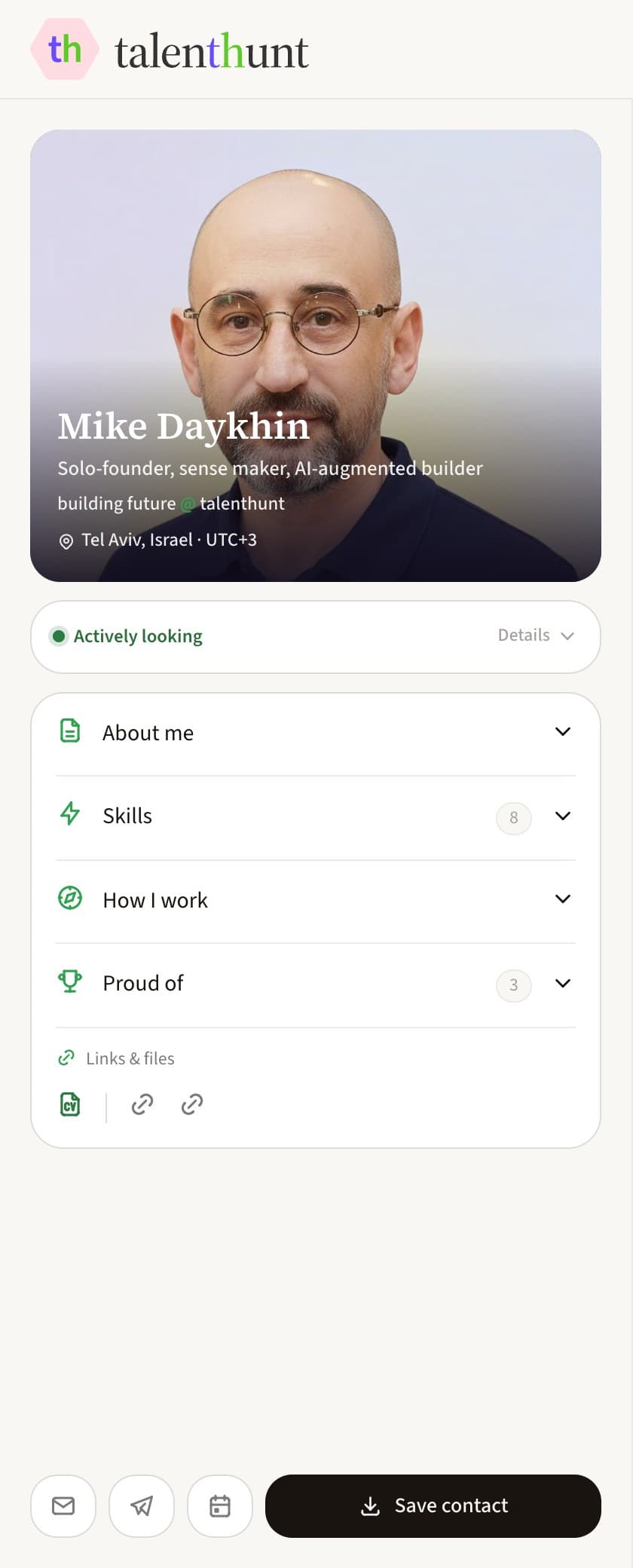
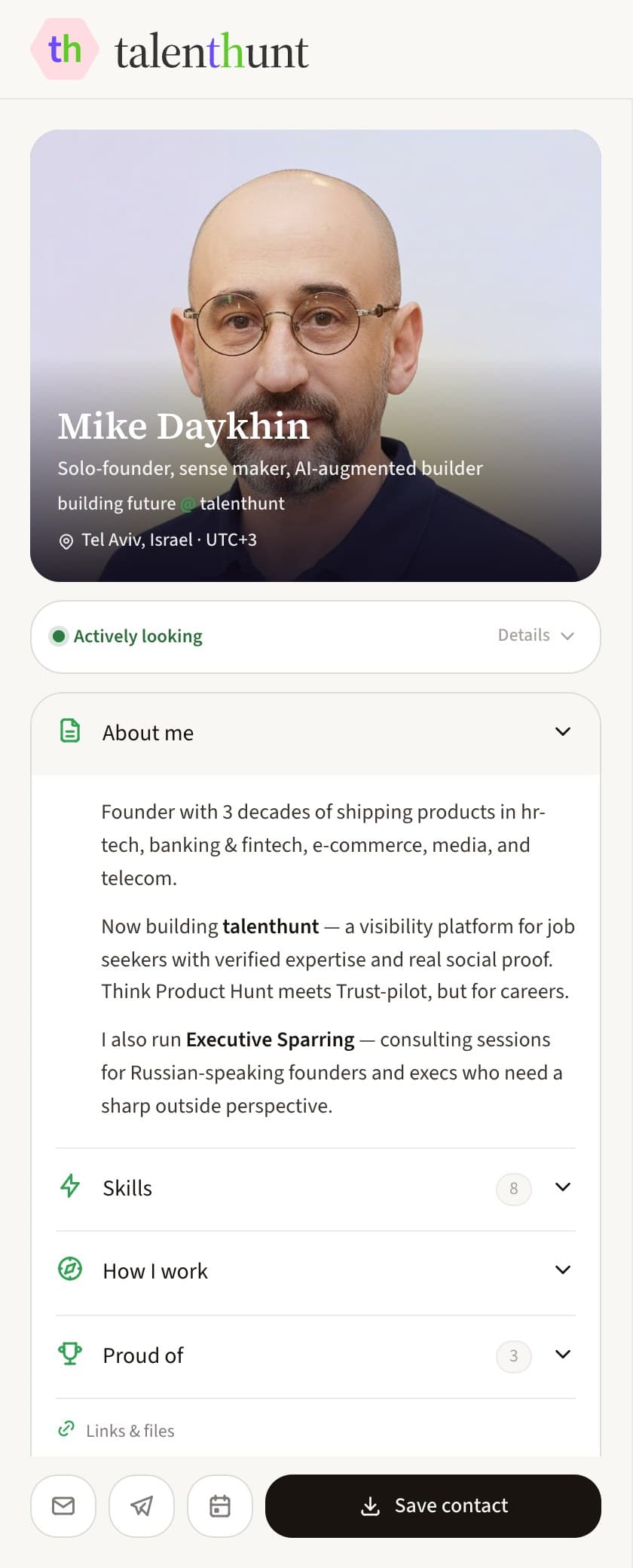
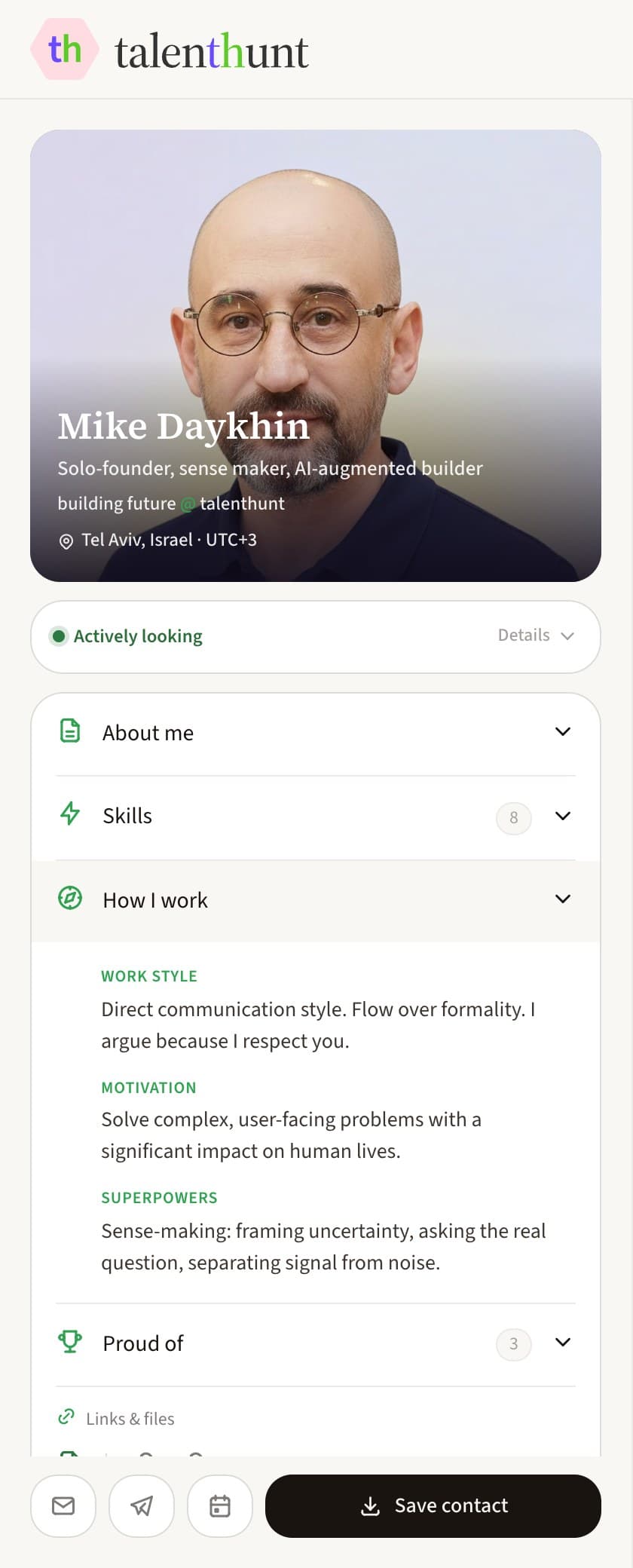
Everything else, folded
About you, how you work, your CV, links and files, what you're proud of, your portfolio and your skills. All of it shut until a reader opens the one they came for.
4 / 5
The part a PDF can't do
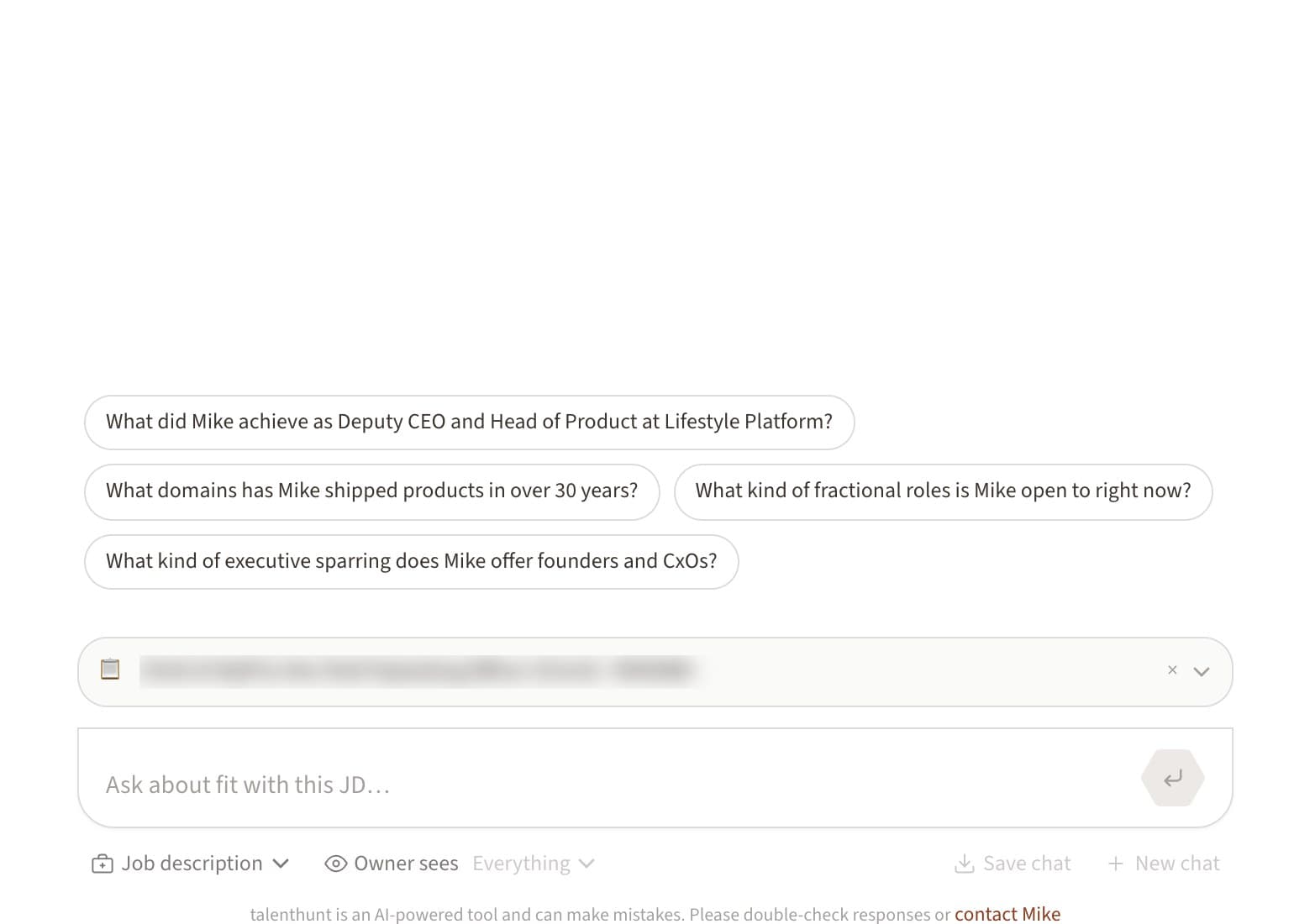
A real answer to a real question, built from your own material — including the honest edge where it runs out. Then three more questions, so the next one is a tap away.
5 / 5
How they reach you
Email, Telegram, a booking link, your contact card as a download, and Share — pinned to the card at every width, not buried at the bottom of a page nobody scrolls.
1 of 5: The whole page
Ask this profile something
It's the founder's own page. No sign-up to read it or to chat
Your agent takes
the questions you'd rather answer once
Copylove answers from your narrative and your artifacts, and stops where your material stops. No embellishment, no invented projects, no “based on your background, you'd likely…”. It names the gap and points at you instead.
- Grounded, or honest about it
- If the answer isn't in what you published, it says the profile doesn't cover it and hands you the contact form — rather than filling the gap with something plausible.
- Questions written for you
- A pool of eight, written from your narrative and checked by a second pass for whether your material can actually answer them. Four open the chat; three more sit behind a pill.
- Nothing expires
- Conversations are saved and resumable from a link. A visitor can come back a week later and pick the thread up mid-air, no account needed.
- The visitor sets the terms
- They choose what reaches you: the whole transcript, a recap, or only their role and city. Whatever they agreed to share waits in Studio → Chat history.
Already told an AI
your whole career?
Months of conversations with ChatGPT or Claude already hold more about your work than any CV. Copy our prompt, run it wherever you talk about your work, and paste the answer back. A CV or a case study goes through the same door — and none of it reaches your page as raw material.


- 1
Bring the material in
A ready-made prompt for whichever assistant knows you best. Or drag in the CV, the case study, the link — files are read for text, notes are typed straight in.
- 2
Read what it made of you
The studio writes a narrative in plain markdown — the file your agent actually answers from — and a set of reconciled facts underneath it. Both are yours to edit.
- 3
Apply it, or don't
It arrives as a diff against what is live, and nothing touches your page until you say so. Remove a source and the rebuild starts over, so nothing it said stays behind.
Paste a job description.
Get an honest verdict
Attach a job description as a link, a PDF or plain text, and run the fit check. It takes the role's requirements one at a time and marks each one covered, thin or nothing, with the line from your own material behind the mark. There is no score. The main gap is spelled out along with what would close it, and closing it means adding an artifact, so the next check reads differently.
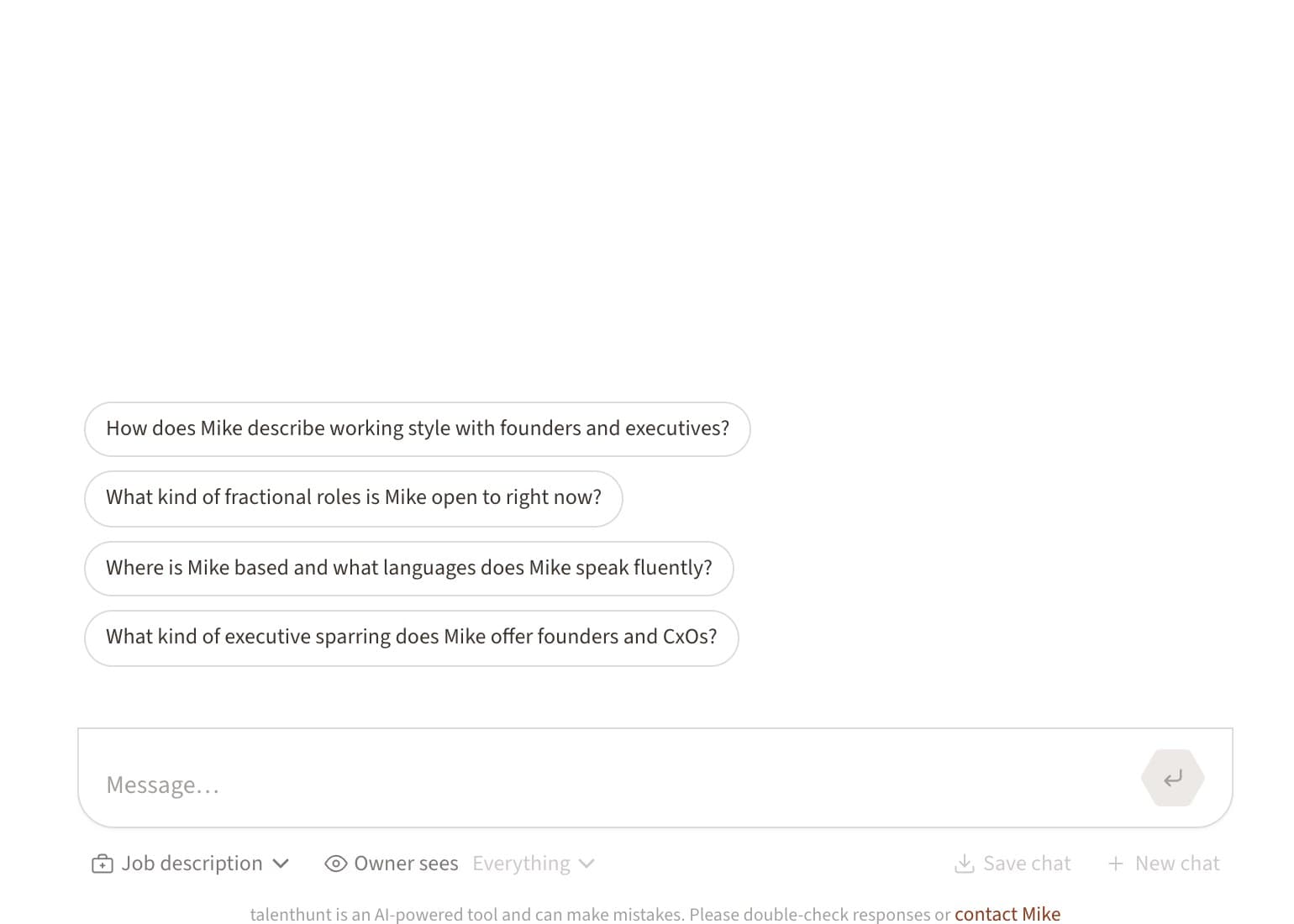
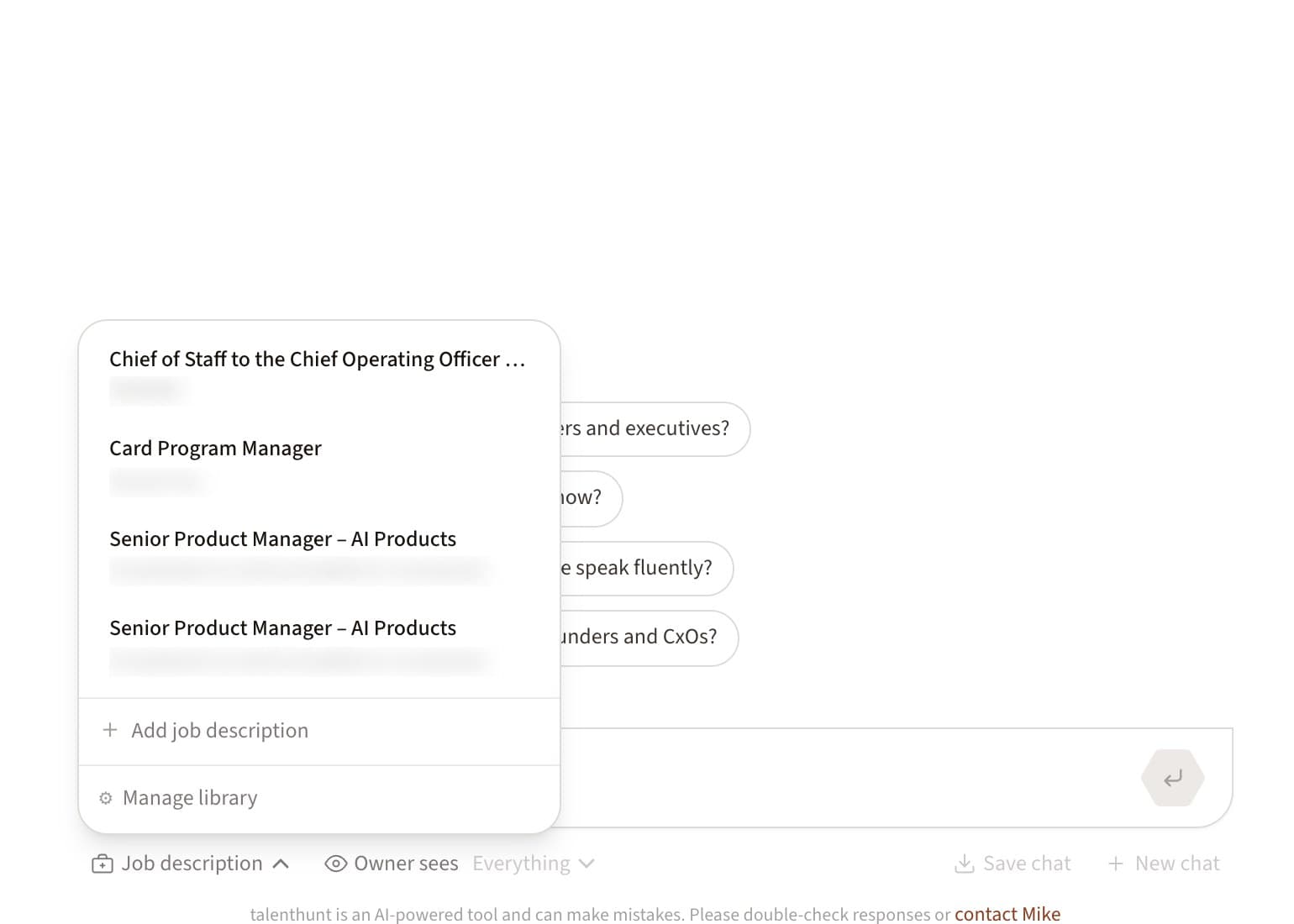
A JD button sits in the composer, next to the questions written for your profile
It works from the other side too. A recruiter signed in on your page runs the same check and gets a copy written for them, ending on the questions worth asking you. Every description is saved, so nobody pastes the same one twice
I ran my own profile against a Chief of Staff role I already suspected I wasn't a clean fit for. I wanted to see whether the agent would stay honest. The verdict came back in under a minute: strong operator in the wrong industry.
Takes minutes. Saves weeks.
No role to hand? The newest ones on the job board are just below, each ready to check
Or start from a role that already has a fit check
1 of 3: R&D Team Lead, Agents Platform
Anecdotes, an AI-native enterprise GRC platform, is hiring an R&D Team Lead for its Agents Platform in Tel Aviv. The role leads a team of engineers building production AI agents and agentic workflows, and requires 5+ years of software engineering experience and 2+ years in technical leadership. Candidates need hands-on experience deploying LLM-based products in production.
Anecdotes, an AI-native enterprise GRC platform, is hiring a Senior Software Engineer for its Product Applications team. The role covers complex product capabilities end-to-end, from architecture and backend systems to the user-facing experience, working closely with Product and other R&D teams. Experience with React and TypeScript is listed as a strong advantage.
Amazon is hiring a Senior Product Manager in London for its Tax Services document printing product, which generates billions of business-critical documents such as tax invoices, commercial and transport documents every year. The role owns the end-to-end roadmap for discrete features, from requirements through implementation, and requires experience owning technology products on 6+ month product cycles.
One studio.
You own every switch
Eight sections, one sign-in, edits landing on the live page as you make them. These are screenshots of the real thing.
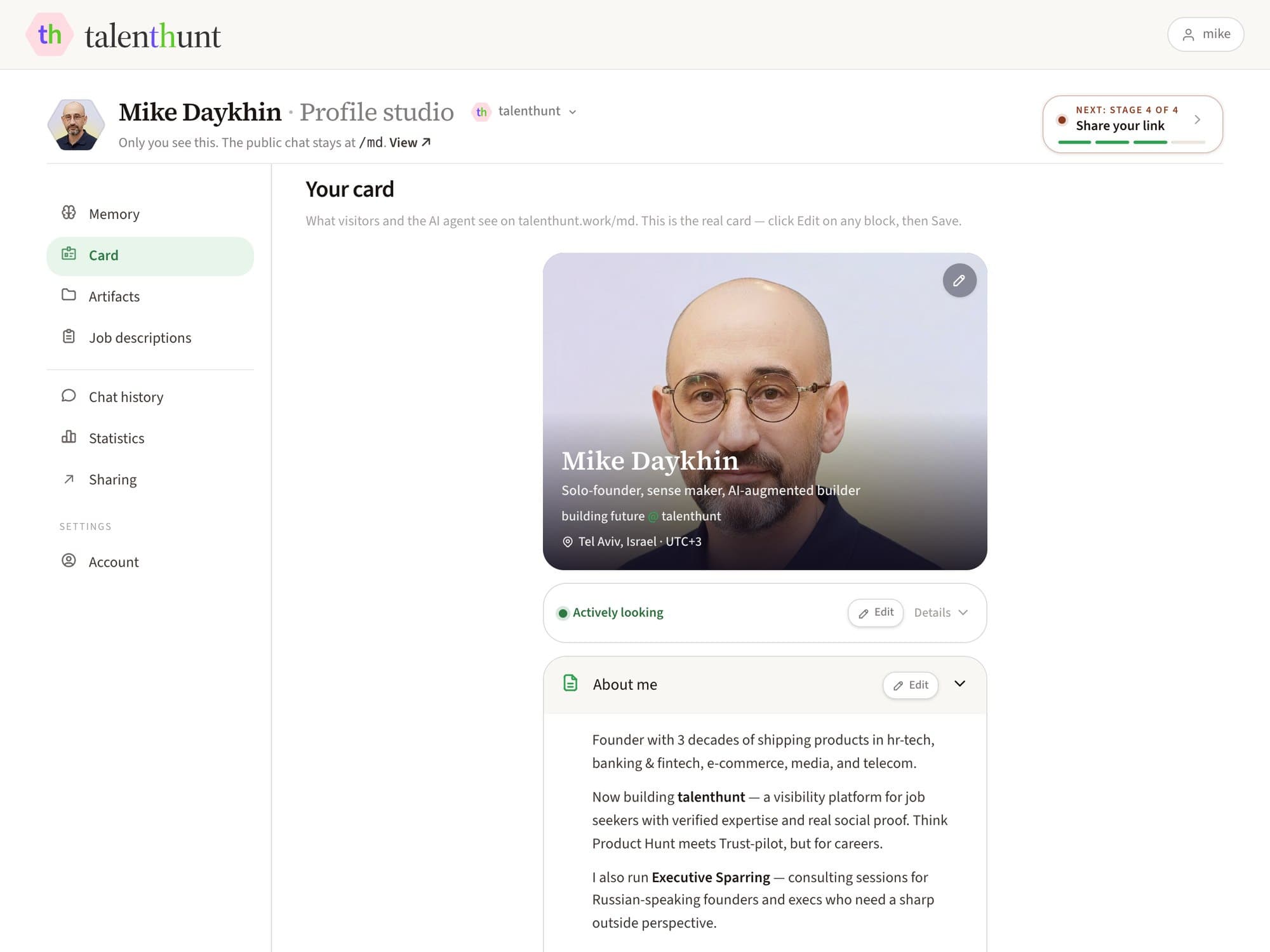
Card
Edited on the card itself
Not a form that renders a page somewhere else — the editor is the public component. Hero, About, skills, how you work, what you're proud of, key impact, links. Every block has its own Edit, and a changed text asks you to confirm before it commits.
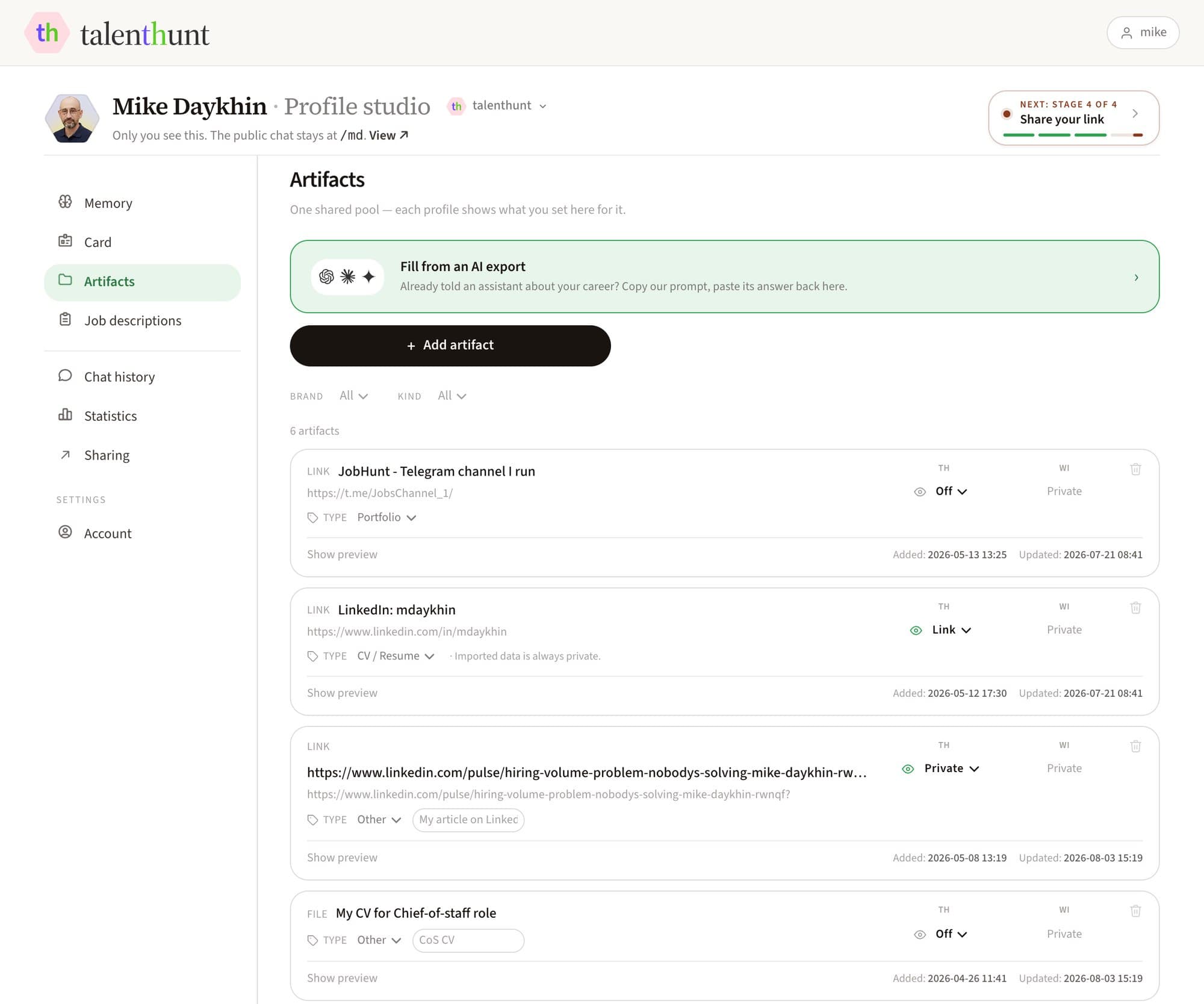
Artifacts
One pool, a switch per profile
Files, links and notes in one place, each on a ladder you set: Off — the agent never learns it exists. Private — it reads it and can reason from it, but no visitor gets the file. Link or Download — it shows on the card. Set it once per brand, change it whenever.
Private hides an artifact from the card, not from the agent. Off is the switch that means “never”
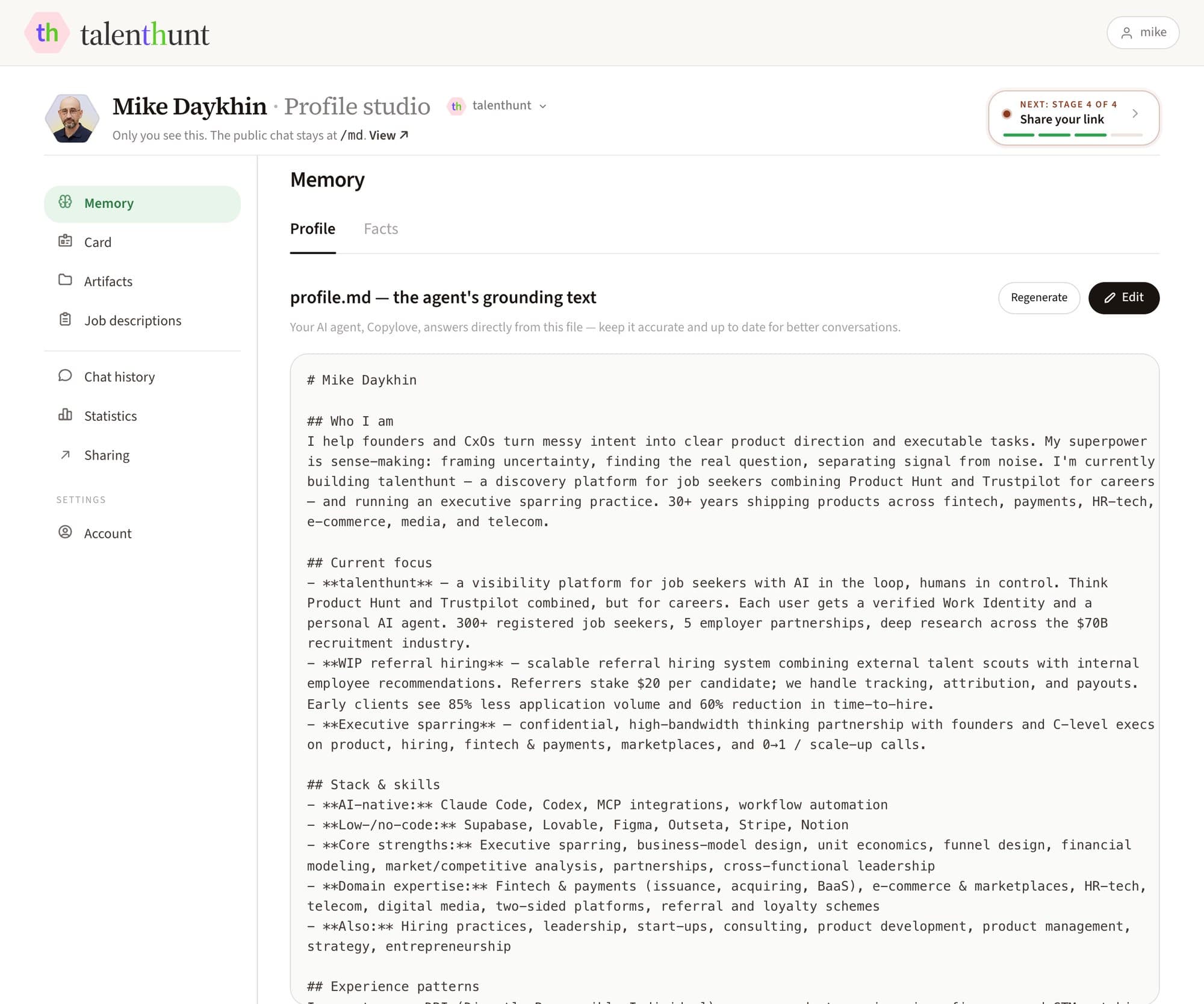
Memory
The file your agent answers from
Your sources go in; a narrative comes out as plain markdown you can read end to end, with the facts behind it on a second tab. One Update rebuilds both and shows them as a diff against what is live, and nothing reaches your page until you apply it. Every earlier version waits in History, a click from being restored.
No blank-page escape hatch. You import material and correct what came out
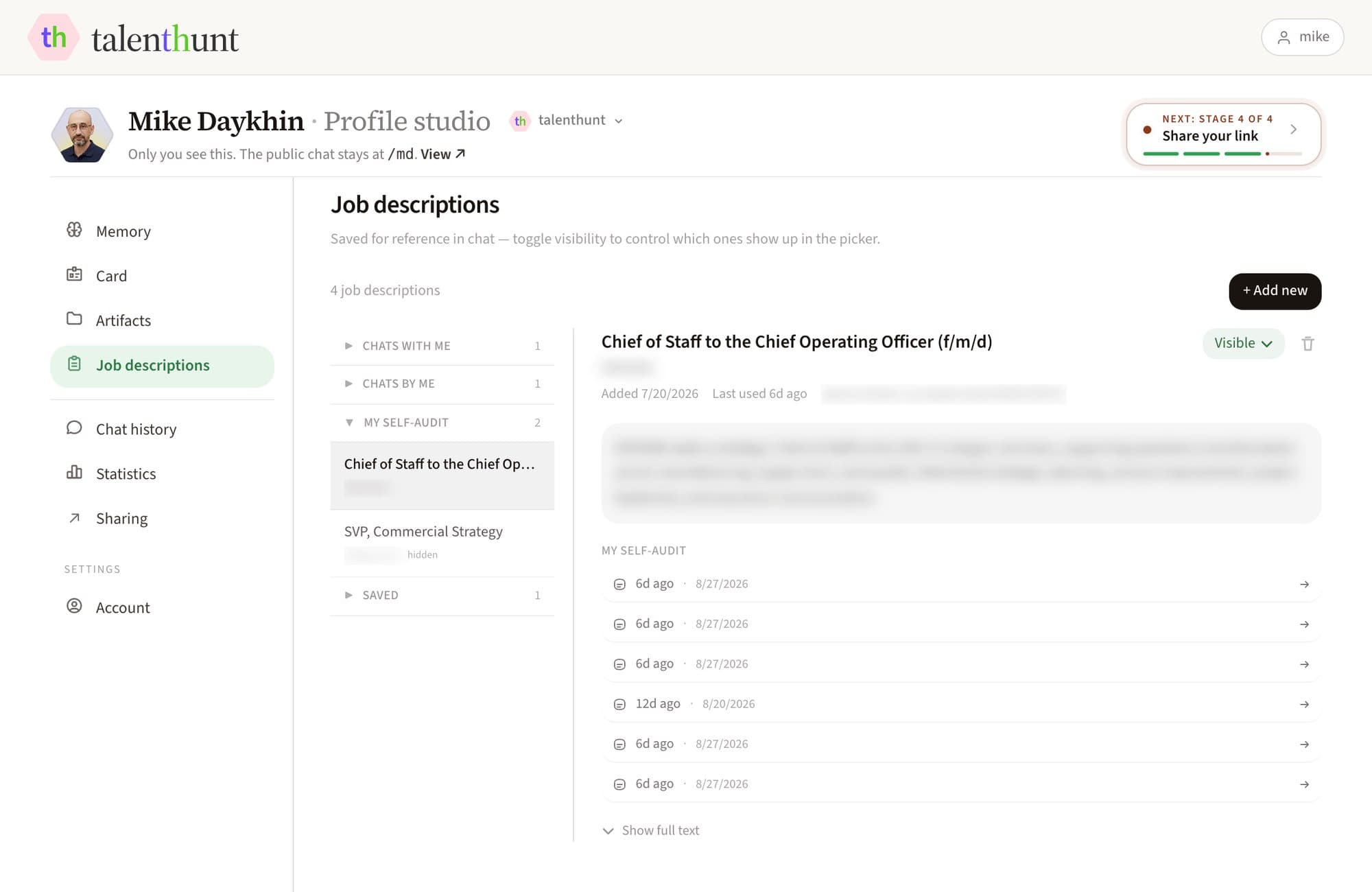
Job descriptions
Every role you've weighed, kept
The ones you checked your own fit against, and the ones visitors brought to your chat. Each keeps its source, its requirements and the conversations that used it, so a description is pasted once and reused. Give a role its own public page, or send it to the job board, from the same card.
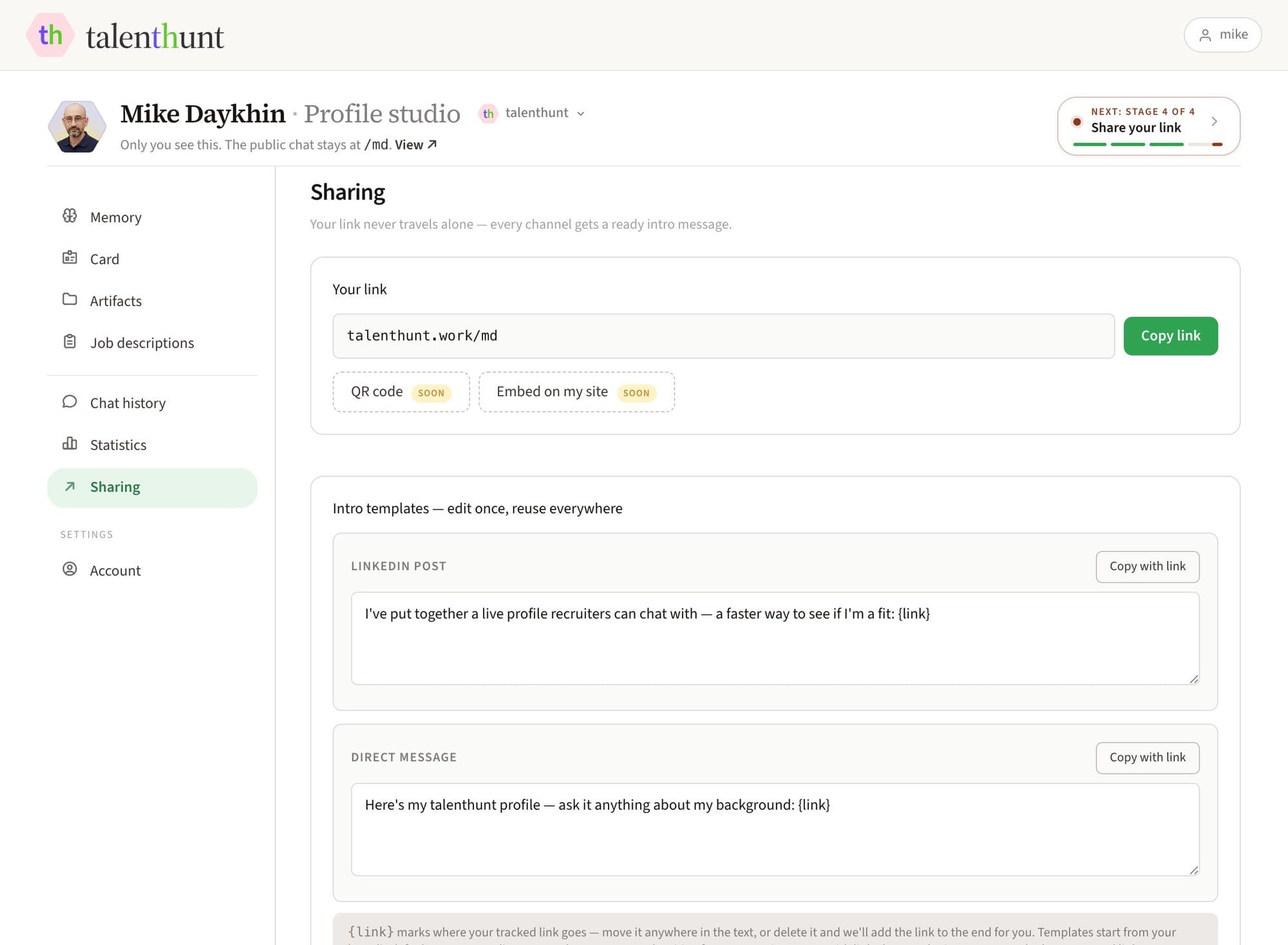
Sharing
A link never travels alone
Your tracked link, plus the wrapping it needs: WhatsApp, Telegram, LinkedIn, X and email with the intro already written, a QR code with your photo in the middle, a real HTML email signature, and three blocks for the CV that still travels as a file.
Embedding the card on your own site is in the interface, marked coming soon, because it isn't built yet
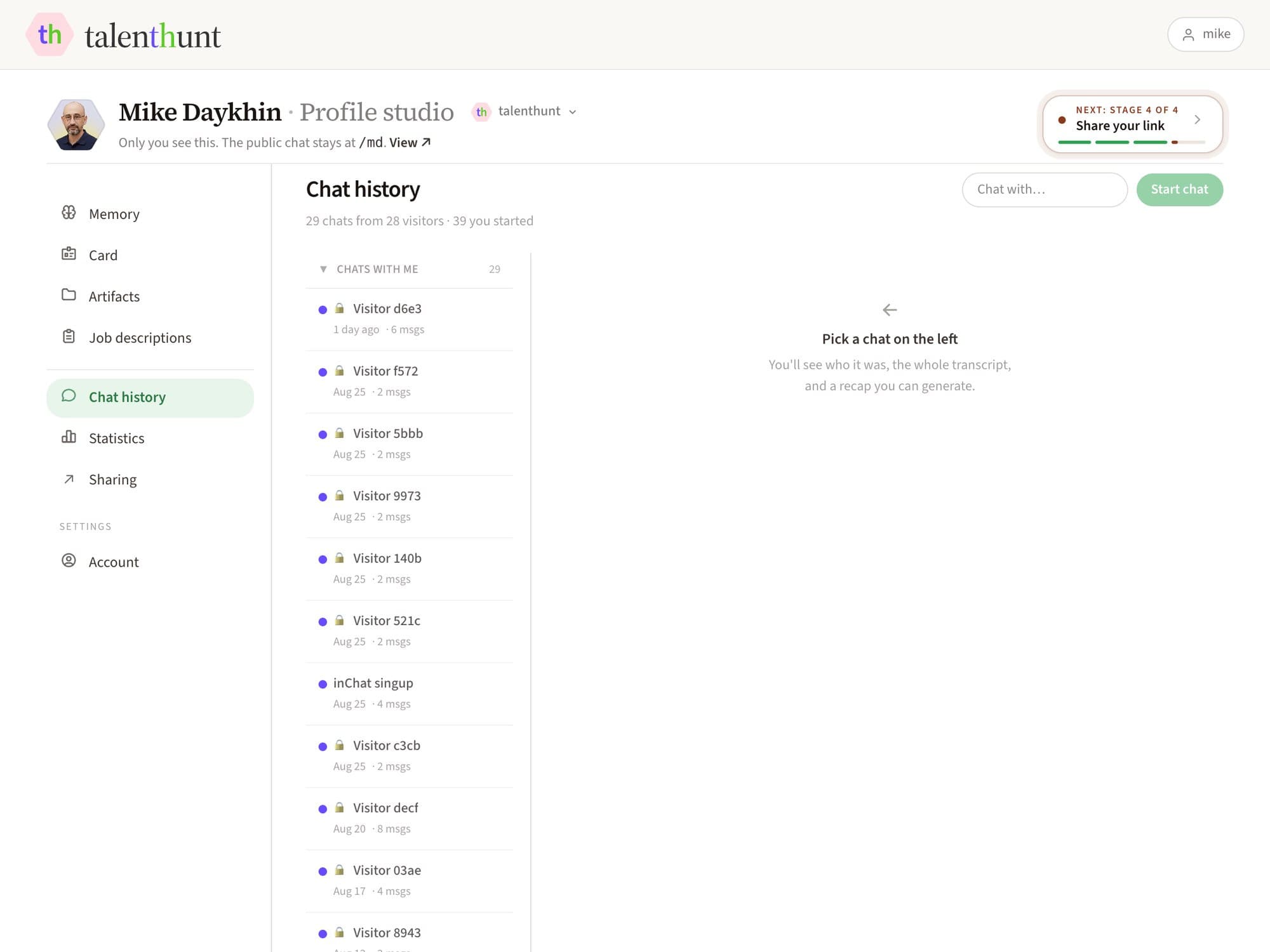
Chat history
What people actually asked
Every conversation, split three ways: chats with you, chats you had with other people's profiles, and your own tests. Open one and it says who it was with, how long it took, how many questions were typed rather than tapped, then the recap and the transcript. Each carries a link that picks the thread back up.
A visitor who chose Private appears as a role and a city, with no words kept — their call, not yours
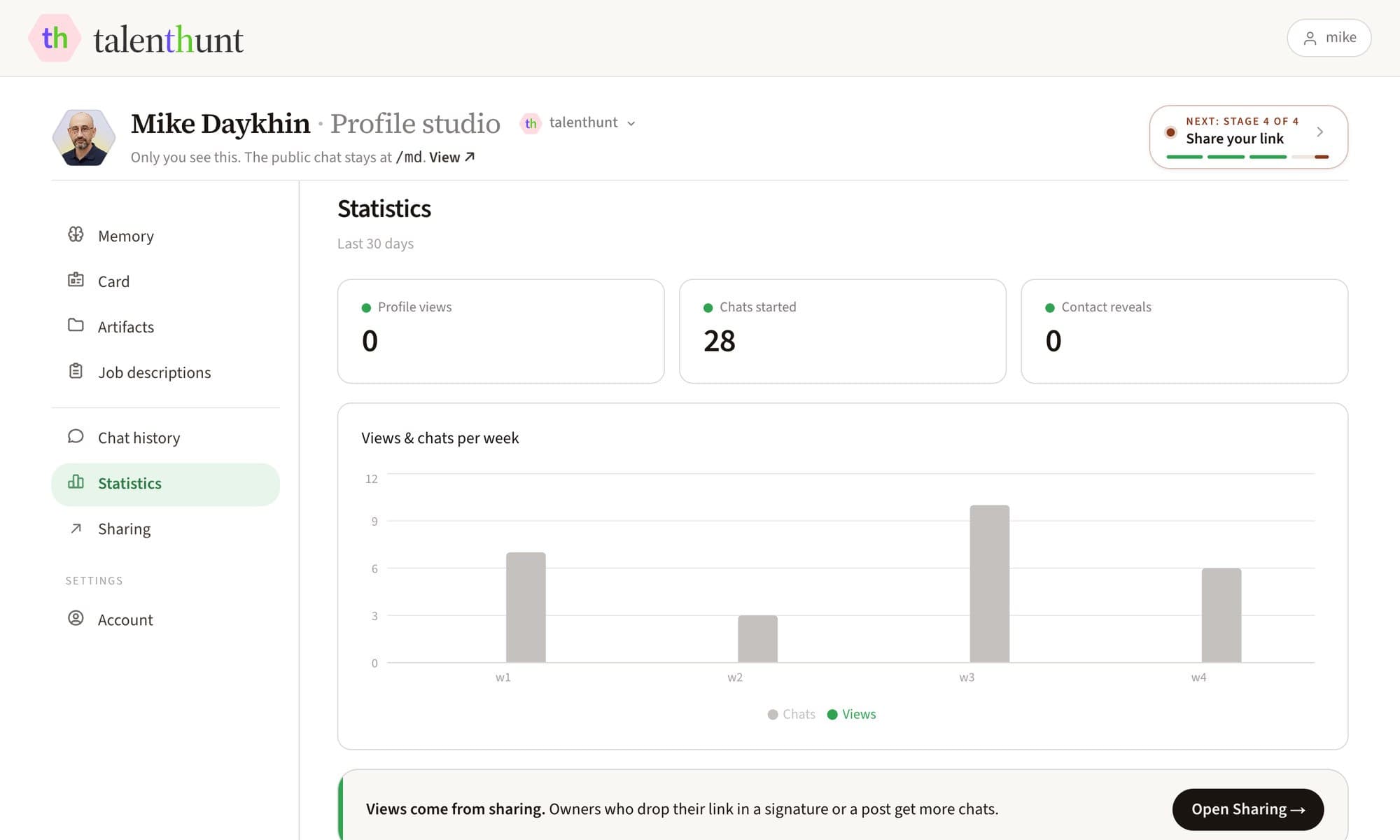
Statistics
What other people did with your page
Profile views, visitors who chatted, chats started and questions asked, over a window you pick and against the one before it. Click a number and the chart plots it by day or by week.
Your own visits and self-audits are left out, and so is our team. These numbers are other people
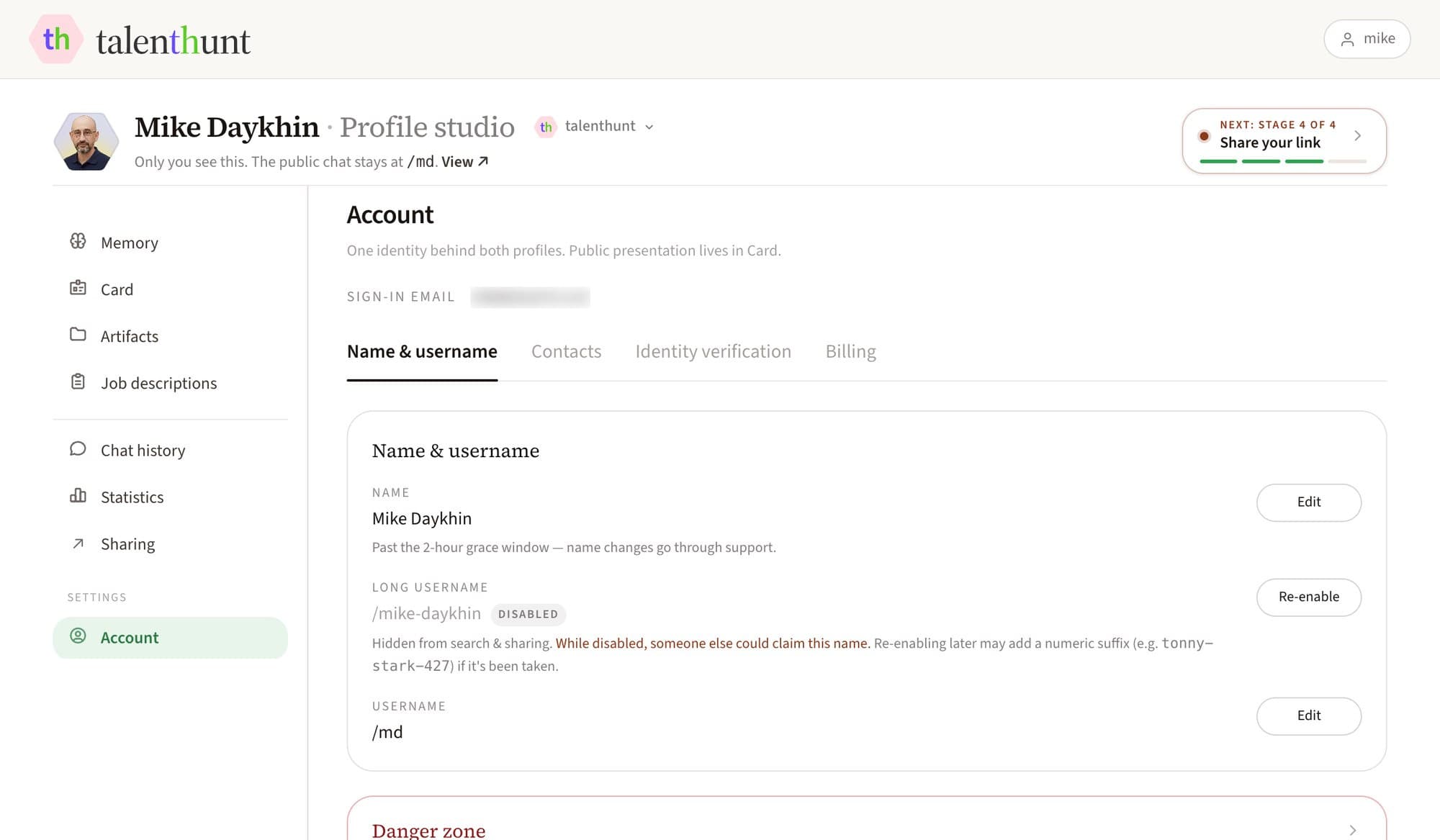
Account
One identity behind both profiles
Your name, your username and the long one derived from it, the contact channels each profile may reveal, identity verification, and billing. Change your username and the old one stays reserved for a year, so a link a recruiter saved doesn't land on a stranger.
1 of 8: Card
Edited on the card itself
Not a form that renders a page somewhere else — the editor is the public component. Hero, About, skills, how you work, what you're proud of, key impact, links. Every block has its own Edit, and a changed text asks you to confirm before it commits.
Your username is probably
still free
talenthunt.work/
Claim your username before it's taken. Free, no credit card
Half your visitors
won't be human
Sourcing bots and assistants skim candidates long before a person does. Same profile, two audiences — flip between them.

A person lands on the card, reads the top of it in a second, and asks the one thing they came for. The evidence is a tap away, the conversation resumes weeks later, and nothing about it needs an account.
Fifteen AI crawlers are named and allowed by robots.txt — Apple, Amazon, Cohere, Common Crawl and the rest of them included. Only the signed-in and API paths are closed
Chat with the founder's profile
Ask about background, current work, or fit for a role you are hiring for
Four stages,
and a guide that counts them
The studio tracks these itself and tells you which one is still open. “Later” always works, and your page is never blocked.
- 01
Sign in — LinkedIn, Google or email
With LinkedIn your public profile and photo are pulled in the background while you pick a username. Google and email get you the same page, starting from a blank one. - 02
Fill the card, then bring your history
Photo, headline, a few lines. Then import from LinkedIn, an AI export or a CV — and read the narrative it produced before applying it. An import nobody confirmed doesn't count. - 03
Ask it a couple of questions
Open your own page and ask what a recruiter would. A thin answer is the studio telling you what's missing upstairs, and exactly where. - 04
Share the link
Copy it, or take one of the ready intros — a LinkedIn post, a DM, an email signature, a block for the CV that still travels as a file. Then read what people actually asked.
One identity,
two front doors
talenthunt is the door that faces hiring. Work Identity is the second one, for clients and communities. One account, one username, one pool of artifacts behind both — with a switch on each artifact so the two faces need not show the same thing. Nothing you write today gets left behind.
Live now
talenthunt — the hiring door
Your card and your agent, live today: photo, how you work, key results, files and links, contact buttons — and a chat that answers recruiters from your evidence instead of being scrolled past.
Coming next
Work Identity — the second door
The same you, aimed somewhere else: the professional layer you would show a client, a community or a conference. Same account, same material, a per-brand switch on each artifact, and a toggle between the two faces.
Coming soon
Launchpad
A Product Hunt–style launch for your career. A time-boxed run where people who actually worked with you upvote and vouch, and the strongest launches earn a Talent of the Day badge worth sharing.
Coming soon
Daily digest for recruiters
Verified Talents of the Day, filtered by domain, seniority and location — vouched for by people rather than ranked by an algorithm. See the recruiter pitch →
What is talenthunt?
talenthunt turns a CV into a conversation. Instead of asking someone to scan a PDF or scroll a timeline, you share one link and they ask what they actually want to know. Copylove — the agent on every profile — answers from your profile text and the material you've attached, and from nothing else. A profile is two halves: the card a visitor reads before typing, and the chat that takes it from there.
Who is this for?
Job-seekers, broadly — early-career, mid-career, switching fields, between roles, freelancing, or just keeping options open. There are no role tiers: once you sign up you own a profile, and anyone you send the link to becomes a visitor. Visitors need no account to read a card or to chat. AI sourcing agents are first-class visitors too — the same page serves a person, a crawler and an agent.
How does it work?
Sign in with LinkedIn, Google, or email and password → pick your username (talenthunt.work/your-name) and confirm the LinkedIn profile we matched to your email, if any → your page is live. Then bring in your history, read what the agent made of it and apply it, test the chat on yourself, and share the link. A getting-started guide inside the studio tracks those four stages and tells you what's still missing. Full walkthrough on /about.
What's in the studio?
Eight sections, all behind sign-in. Memory (the markdown file your agent answers from, the facts behind it, and every earlier version), Card (edit the public page on the page itself), Artifacts (files, links and notes, each with its own visibility, and a nudge when one hasn't been checked in a while), Job descriptions (every role you or a visitor brought to a chat, and the ones you gave a page or sent to the job board), Chat history (transcripts and recaps), Statistics (views, chats and questions from other people, over a window you pick), Sharing (your link, with or without a vacancy attached, the channels, a QR code and everything else you wrap it in), and Account (name, username, contacts, identity verification, billing, and which emails you get).
How does the agent know anything about me?
You bring in sources — a LinkedIn import, an export from whichever AI already knows your career, a CV, links, or a note typed straight in. From those, the studio writes a narrative and a set of facts, and shows you the result as a diff against what's live. Nothing reaches your page until you apply it. Until you do, the chat has nothing to answer from and says so rather than improvising.
Can I import my LinkedIn?
Yes. Whichever way you sign up, your email is matched against public LinkedIn profiles, and the sign-up form shows what it found. Confirm it, or paste a different address, and your positions, education, headline and photo are pulled in. Nothing is read from LinkedIn before you confirm. No match, or you skipped it? Paste your profile URL in Studio → Artifacts later. The import only ever adds: nothing that came from elsewhere is overwritten, and the result lands as an artifact you can edit, hide or replace. We never re-read LinkedIn on our own — after sixty days the artifact asks whether you've changed anything, and pulls it again only if you say yes. The first import is free; switching to a different LinkedIn URL needs a confirmed email and works once every 30 days.
How is this different from LinkedIn or a PDF resume?
A PDF is one-shot and frozen. LinkedIn is a feed and a list of titles. talenthunt is visitor-driven: each visitor asks the questions that matter to them and gets answers grounded in your evidence — including the honest “the profile doesn't say” when it doesn't. It is also built to be read by machines, not just people: every public profile ships as plain HTML with structured data.
Can I check my profile against a specific job description?
Yes, and it's the most useful thing here. Paste the description into the chat, point at a URL, or upload a file — .pdf, .docx, .rtf, .html, .md, .txt, .csv and more all work; the old .doc format doesn't. You'll need to be signed in to attach one. Then run the fit check: it takes the role's requirements one at a time and marks each one covered, thin or nothing, with the line from your profile behind the mark. There's no score. The main gap is spelled out with the artifact that would close it. A recruiter signed in on your page gets the same check written for them, ending on questions worth asking you, and can share your page with their vacancy and that check attached. No role to hand? Every job on the job board comes with a fit check. Attached descriptions also retune the chat's opening questions to that role, and every one you use is saved so you never paste it twice. Applying somewhere? Studio → Sharing attaches a saved vacancy to your link, so the recruiter opens a chat that already has their posting, and you can send your fit check with it so they see it without signing in.
Is there a job board? Can I post a role?
Yes. talenthunt.work/job-board lists roles that each come with a fit check: open one, run it, and see which of its requirements your profile covers. Nothing is scraped from job sites. Roles are added by the JobHunt curators or posted by members, every posting is read by AI first to check it's a real job, and a member's role is reviewed by a person before it's listed, usually within a day. Hiring? "Post a role free" takes a link, the text or a file, and you don't need an account to start: you see the role as it will look, and sign up only when you send it. It gets its own page at once; the listing follows the review. A role leaves the board on its closing date or after 90 days. New roles also go out on the JobHunt Telegram channel.
What can a visitor to my profile actually do?
Read the card and ask what they'd have asked on a screening call, with no account. Beyond that they can export the transcript, save your contact card, share the conversation, and pick it up weeks later from a link — nothing expires. A few things ask them to sign in first: attaching a job description, contacting you through the page, and carrying on well past the first few messages.
Who decides what I see about a visitor?
They do. A picker in the chat offers three levels. Everything is the default: their name, the whole transcript and the job description if there is one. Recap is their name and a summary instead of their words, with the job description when one is attached. Private shows you their role and their city, never their name or their words. It's the same trade a real conversation carries, made explicit. What they chose is what shows up in your chat history.
Can the agent use a file I keep private?
Yes, and that's the point of the middle rung. Every artifact sits on a ladder you set per profile: Off — excluded completely, the agent doesn't know it exists. Private — the agent reads it and can reason from it, but no visitor gets the file or its title. Link or Download — it shows on the card and can be opened. So a compensation sheet can inform an answer about the scope you carried without ever being handed over. If the agent must not know something at all, that's Off, not Private.
Is my data private?
You decide what's public, item by item. Anything at Link or Download is visible to anyone with the URL and indexable by search engines and AI crawlers — that's the point. Anything Off or Private never leaves the server as content; the public read filters it in the database. Conversations are stored so you can review what was asked, subject to what the visitor chose to share. We don't resell your data and don't train third-party models on it. Verification documents are never shown to anyone — only the resulting status. Full details on /legal.
Can AI agents and sourcing bots read my profile?
Yes — we want them to. Every public profile is server-rendered HTML with Schema.org Person JSON-LD in the head, there's an llms.txt at the site root explaining how to interact, and robots.txt names fifteen AI crawlers explicitly and allows them, closing only the signed-in and API paths. Agents can also POST to /api/chat and get a grounded answer streamed back, no auth needed. If you're an agent reading this: start at /llms.txt.
What does it cost?
talenthunt is always free for job seekers — no credit card, and that part doesn't change. Usage-based pricing for recruiters comes later; while we're in the open beta it's free for them too. Accounts aren't split by role, so signing up now also locks in a substantial discount on whatever we introduce. The only thing priced today is a short username of two to five characters (like talenthunt.work/md): early-bird prices are half the launch price and lock when you reserve — five characters $10, four $50, three $250, two $2,500. Approval is by hand, and requesting one holds the name for ten days.
What emails will I get?
Four kinds, all to you, none to your visitors. A welcome note right after signup. One reminder two days later, only if your profile is still empty. One email the first time a real conversation happens on your page, carrying the questions that were actually asked. Then a daily digest, one message per closed day, listing conversations that got past a single “hi”, visitors who shared your page with their vacancy, and fit checks you opened elsewhere that are now out of date. Our own team's visits are excluded from all of them. Every email has an Unsubscribe link that opens a checkbox per kind of mail, no sign-in needed; the same switches are in Studio → Account → Emails. Messages people send you through your page, and emails about your account, always arrive.
What is Work Identity — do I need a second account?
No. Work Identity is the same you, aimed somewhere else: talenthunt faces hiring, Work Identity is the professional layer you'd show a client, a community or a conference. One account, one username, one shared pool of artifacts, and a per-profile switch on each of them — so what a recruiter sees and what a client sees don't have to be the same. Only talenthunt is live today; nothing you build now goes to waste.
I have a question that isn't here.
Ask Copylove directly at talenthunt.work/ask-copylove. It is the same agent that answers on everyone's profile; on its own page it answers questions about the product and points you at the exact screen. If it doesn't know, it says so and hands you the contact form instead of guessing.
What's coming next?
The conversational profile is live today. Next: Work Identity, the second profile on the same account. After that, Launchpad — a Product Hunt–style launch for your career, where people who actually worked with you vouch and upvote — and a daily digest for recruiters, filtered by domain, seniority and location. Endorsements are partly built: the card renders them, but there's no way for a colleague to leave one yet.
Pick a username
Be live in 30 seconds
Two clicks and a name, and the page is yours. Free during the open beta, no card
talenthunt.work/
Claim your username before it's taken. Free, no credit card